
Neuroinclusive Office Ergonomics for Teams
Ergonomics Must Fit the Person
Office ergonomics is often reduced to chair height, monitor position, and keyboard placement. While those fundamentals remain essential, they describe only part of the modern office. For instance, noise, glare, visual movement, temperature, interruptions, unclear instructions, and unpredictable desk arrangements can also affect concentration, fatigue, and a person’s ability to work comfortably and safely.
In addition, this wider view matters for neurodiverse teams. Neurodiversity describes the natural variation in how people think, learn, and process information. For example, some colleagues may be neurodivergent, including people with ADHD, autism, dyslexia, or dyspraxia, yet needs and strengths differ even among people with the same condition. Therefore, the objective is not to design an “autism desk” or an “ADHD zone.” Instead, it is to provide meaningful choice and respond to the individual.
Furthermore, Irish display-screen requirements already place emphasis on analysing individual workstations and addressing identified risk. At the same time, separate equality duties may require appropriate reasonable accommodation where disability protections apply, unless this would impose a disproportionate burden. However, not every neurodivergent person identifies as disabled. EHS and facilities teams should therefore combine inclusive options for everyone with a confidential process for individual adjustments.
Expanding the Office Ergonomics Risk Assessment
A strong assessment considers the relationship between the person, task, equipment, and environment. Specifically, for a neuroinclusive office ergonomics evaluation, teams should examine three connected layers:
- Physical fit. Assess seating, screen height, input devices, posture, movement, lighting and glare. Hot-desking should not remove the ability to adjust equipment or obtain a workstation review.
- Sensory load. Consider conversations, alarms, equipment noise, flicker, bright light, visual clutter, crowding, temperature and odours. “Sensory safety” means reducing avoidable overload that interferes with comfort, focus or safe performance.
- Cognitive and organisational load. Review task switching, meeting density, ambiguous priorities, constant notifications and unplanned interruptions. Work design can create strain even when the desk is physically correct.
Consequently, the assessment should identify barriers rather than infer a diagnosis. Anonymous feedback can reveal shared environmental problems, while individual conversations determine whether a particular adjustment is suitable.
Three Critical Focus Areas for Neuroinclusive Offices
The best workplace solution is rarely one universal setting. Instead, it is a system that offers options without isolating or labelling the people who use them.
Give people choice and environmental control
Create a range of usable settings, such as collaborative areas, lower-distraction desks, private rooms, and spaces for short recovery breaks. Where practical, offer task lighting, glare control, adjustable furniture, screen filters, and noise-reducing options. Although headphones may help some employees, they must be considered against alarms, communication, and other site-safety requirements. Ultimately, choice should be easy to access, not treated as a special favour.
Make work patterns more predictable
The physical office is only one part of neuroinclusive office ergonomics. For example, clear written priorities, agendas shared in advance, defined meeting outcomes, and notice of workplace changes reduce avoidable cognitive load. Similarly, for hybrid and desk-booking environments, allowing employees to reserve a known location or equipment setup provides stability. Thus, predictability supports focus without removing flexibility.
Personalise adjustments and review them
An adjustment that helps one person may hinder another. A quiet corner may improve concentration, while an isolated position may reduce access to colleagues. Managers should listen, agree a practical trial, record what was decided and review whether it works. Occupational health, HR, facilities or specialist advice may be needed for complex cases; EHS should coordinate the risk-control process without attempting diagnosis.
Strategic focus: design for choice, then personalise. Universal options can reduce the need for disclosure, but they do not replace individual reasonable accommodation or a competent workstation assessment
The EazySafe Advantage: Turning Inclusive Design into Routine Practice
EazySafe is not a diagnostic or occupational-health service. We help organisations build the training, assessment and follow-up infrastructure needed to make inclusive ergonomics consistent across office, hybrid and home-working environments.
- Digital VDU/DSE self-assessment. Help employees understand ergonomic principles, identify workstation hazards and review the setup and use of their office workstation.
- Competent assessor development. VDU Instructor and Assessor training equips designated personnel to assess equipment, posture, noise, glare, lighting, heat, humidity and work-area factors.
- Tailored, accessible learning. Adapt office-safety and manager-awareness content for roles, sites and languages, using concise digital learning rather than relying on a single generic briefing
- Visible action and training follow-up. Use dashboards, reports and safety-management workflows to monitor completion, record ergonomic findings and track agreed actions to closure.
2026 Neuroinclusive Ergonomics Action Plan
Use five practical steps to move from isolated adjustments to a repeatable workplace process.
- Consult without assumptions. Ask employees about barriers, helpful conditions and tasks – not for personal medical detail that the process does not need.
- Broaden the assessment. Review physical setup, sensory conditions, cognitive load, work organisation and the accessibility of shared or booked workstations.
- Create choice and control. Provide adjustable equipment, lower-distraction options and clear ways to request further support without stigma.
- Prepare managers. Train leaders to communicate clearly, handle requests confidentially, avoid stereotypes and involve the right internal specialists.
- Trial, record and review. Assign actions, confirm implementation and revisit adjustments after role, health, location or workplace changes.
Build an Office That Can Adapt
In conclusion, Neuroinclusive office ergonomics is not a separate standard for a small group. It is a more complete way to examine how people, technology, environment and work design interact. When employees can adjust their setup, manage avoidable sensory load and understand what work requires, the office becomes easier to use for a wider range of people.
Therefore, the goal is not perfect comfort or a catalogue of condition-specific solutions. It is a responsive safety system: assess the real work, offer practical choices, listen to the individual and verify that action was completed. eazySafe can help make that process visible, repeatable and easier to manage across the modern workplace.

Discover our Contractor Induction Platform
Streamline your contractor management with our customisable, compliant, and easy-to-use digital induction system.
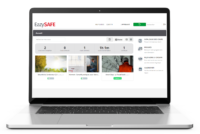
TAILORED INDUCTION
Create site-specific inductions that can be customised and offered in several languages.
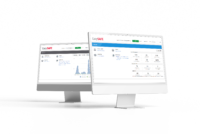
AUTOMATED COMPLIANCE
Ensure contractors complete training before arrival with automated reminders and digital certificates.
CENTRALISED MANAGEMENT
Simplify oversight with dashboards and real-time records, making audits straightforward.